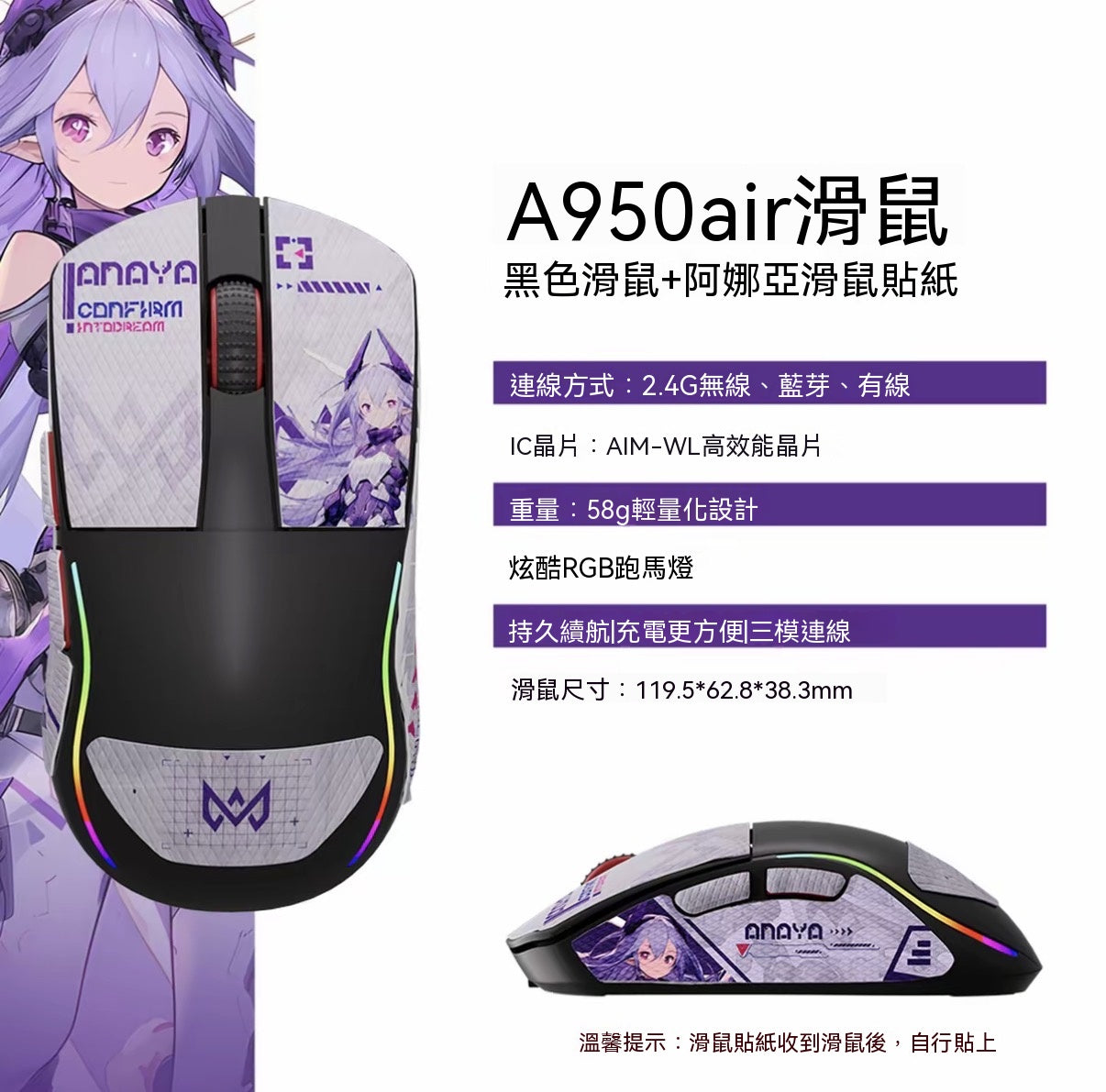
Product Information
• Weight: Approx. 58g-60g
• Connectivity: Tri-mode connection (wired + 2.4G + Bluetooth), dual 1K polling rate
• Core Configuration: Broadcom (BK) high-performance master control chip, AIM-WL flagship sensor (up to 12000DPI, 650IPS tracking speed), Huano mechanical switches
• Battery Life: 500mAh high-capacity battery, paired with a low-power chip for extended battery life
Key Features
1. Extreme Lightweight Design: Weighing only 58-60g, combined with a centrally balanced design, it prevents fatigue during long gaming or work sessions and offers more flexible control.
2. Flagship Performance: 12000DPI high-precision sensor + 1000Hz polling rate for low-latency response, meeting the precise control demands of esports games like FPS and MOBA.
3. Comfortable Grip: A gently curved mold, refined through hundreds of millions of ergonomic tests, accommodates various grip styles. The surface is highly polished for stain resistance and easy cleaning, with a skin-like cool touch that doesn't feel sticky.
4. Stable and Durable: Teflon feet offer low friction for smooth gliding; Huano mechanical switches prevent accidental double-clicks and have a longer lifespan; the 500mAh large battery eliminates battery anxiety.
5. Multi-scenario Application: Tri-mode connection allows free switching, supporting onboard storage and custom drivers, making it suitable for gaming, office work, and mobile devices with a single glide.
Usage Instructions
1. Connecting Devices:
◦ 2.4G Mode: Insert the USB receiver into your device, then switch the mouse to "2.4G" for automatic pairing.
◦ Bluetooth Mode: Switch to "BT", press and hold the pairing button to enter pairing mode, then select to connect in your device's Bluetooth list.
◦ Wired Mode: Use a Type-C cable to connect the mouse to your device. This will also charge the mouse.
2. Parameter Adjustment: Use the driver software to customize DPI values, button functions, RGB lighting effects, and more, then save these settings to the onboard memory.
3. Daily Maintenance: Wipe the surface with a dry cloth; avoid using chemical cleaners. Replace the Teflon feet with spare ones when worn.
Real User Reviews
• "58g is incredibly light! When playing FPS games, turning the gun feels effortless, and the grip is very comfortable. My hand doesn't get tired even after long sessions."
• "Tri-mode connectivity is very convenient. I use Bluetooth for my laptop at work and switch to 2.4G for gaming at home. I barely notice any lag; it's as smooth as wired."
• "The surface feels very comfortable. Even with sweaty hands in summer, it doesn't feel sticky. Cleaning is super easy, and the battery lasts for a week, so the battery life is impressive."
• "The button feedback is crisp, no accidental clicks, and the 12000DPI allows for very precise sensitivity adjustments. It's accurate for last-hitting in MOBA and targeting in FPS."
Precautions
• It is recommended to fully charge the mouse before first use for optimal battery performance.
• Avoid dropping the mouse or subjecting it to severe impact to prevent damage to internal sensors and micro switches.
• The driver software only supports specific operating systems. Please download the corresponding version from the official website to ensure proper functionality.
• If the connection is unstable, try changing the USB port or moving away from wireless interference sources (e.g., routers, microwave ovens).
• When not in use for an extended period, switch the mouse to "OFF" to conserve power.