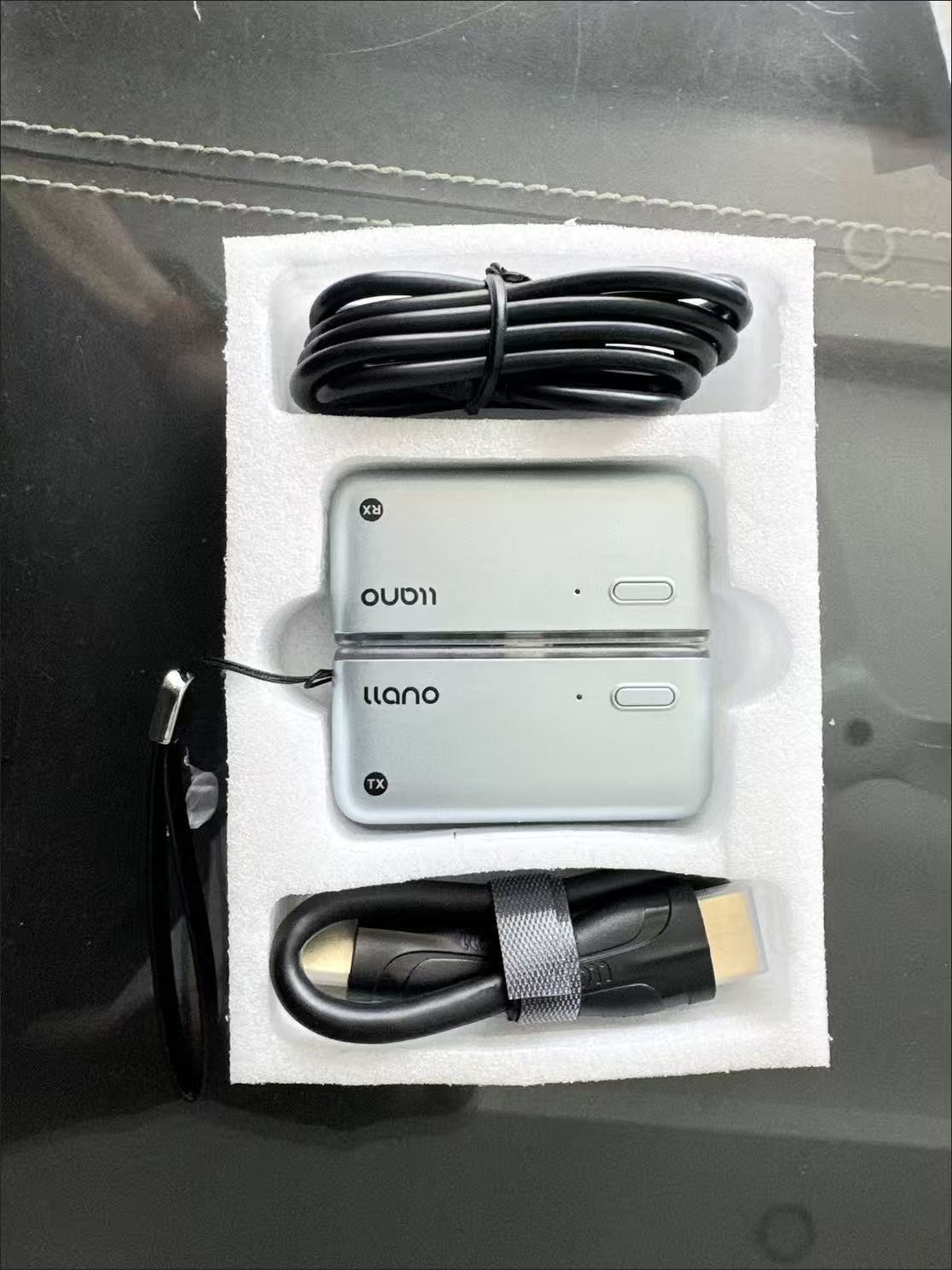
Product Information
This Type-C wireless screen mirroring box supports 1080P high-definition quality and features 5G+5G dual-band transmission technology. It offers both "point-to-point + wireless" dual modes, compatible with Android and Apple phones, as well as laptops. It supports one-button landscape/portrait screen switching and can achieve stable screen mirroring up to 50 meters away. No scanning or network configuration is required; simply plug and play. It also includes an HDMI extension cable and a power cable, along with a reserved power port to address insufficient USB power supply from TVs.
Core Highlights
• 🚀 Plug-and-play, zero network configuration threshold: Utilizes point-to-point module transmission technology, eliminating the need for scanning or network connection. Just plug it in to establish a stable signal, making it easy for both the elderly and children to use.
• 📱 Full device dual-mode support: Point-to-point mode supports full-featured Type-C phones and Thunderbolt laptops.
• 📶 Dual-band transmission, stable and low latency: 5G+5G dual-band transmission technology, combined with ultra-long-distance screen mirroring up to 50 meters, ensures smooth, lag-free viewing for binge-watching and gaming.
• 🔄 One-button landscape/portrait screen switching: Supports landscape for watching dramas and portrait for live streams. No need to adjust phone settings; switch with one button, and the picture remains undistorted.
• 🔌 Upgraded power supply, stable connection: Includes an HDMI extension cable and a USB to Type-C power cable, along with a reserved power port, to solve connection issues caused by insufficient power from the TV's USB port.
Usage Instructions
Mode 1: Point-to-point screen mirroring (direct connection for phones/laptops)
1. Insert the screen mirroring receiver into the HDMI port of your TV/projector and connect the power cable (external 5V charger recommended).
2. Insert the transmitter directly into the Type-C port of your phone/laptop. The device will automatically recognize and establish a connection.
3. Open content on your phone/computer to mirror it to the large screen. You can press the button to switch between landscape and portrait modes.
Mode 2: Wireless screen mirroring (for devices without full-featured Type-C)
1. Similarly, connect the receiver to the TV and power, then switch the TV's signal source to the corresponding HDMI channel.
2. Enable the wireless screen mirroring function on your phone/computer, find the device named "LLANO-S850", and click to connect for screen mirroring.
3. Once connected, the screen will be mirrored. Supports one-button landscape/portrait switching.
Real User Reviews
• "Previous screen mirroring devices always required a network connection, which my parents couldn't figure out. This one just plugs in and works, super convenient for watching shows, and the picture quality is very clear!"
• "iPhone screen mirroring is super smooth. Watching live streams in portrait mode is perfect, and the latency is very low, so gaming is also smooth."
• "The included extension cable is incredibly useful. The ports behind my TV were hard to reach, but with the extension, it's just right. The power supply is stable, and I haven't had any disconnections."
• "For office meetings, we use the point-to-point mode. Just plug in the laptop and it mirrors, no need to connect to the company network, which is secure and convenient."
Precautions
1. This product requires a TV/projector with an HDMI port. Please ensure your device's ports are working correctly before use.
2. Some TV USB ports may provide insufficient power, which can lead to unstable screen mirroring. It is recommended to use an external 5V charger for power.
3. Point-to-point mode only supports devices with Type-C ports that support video signal transmission. For non-full-featured Type-C devices, please use wireless mode.
4. Screen mirroring performance can be affected by environmental interference. It is recommended to keep the device away from strong interference sources like microwave ovens and maintain a distance of within 50 meters between devices.
5. If screen mirroring experiences stuttering, try re-plugging the device or changing the power supply method to ensure stable power.