Product Information
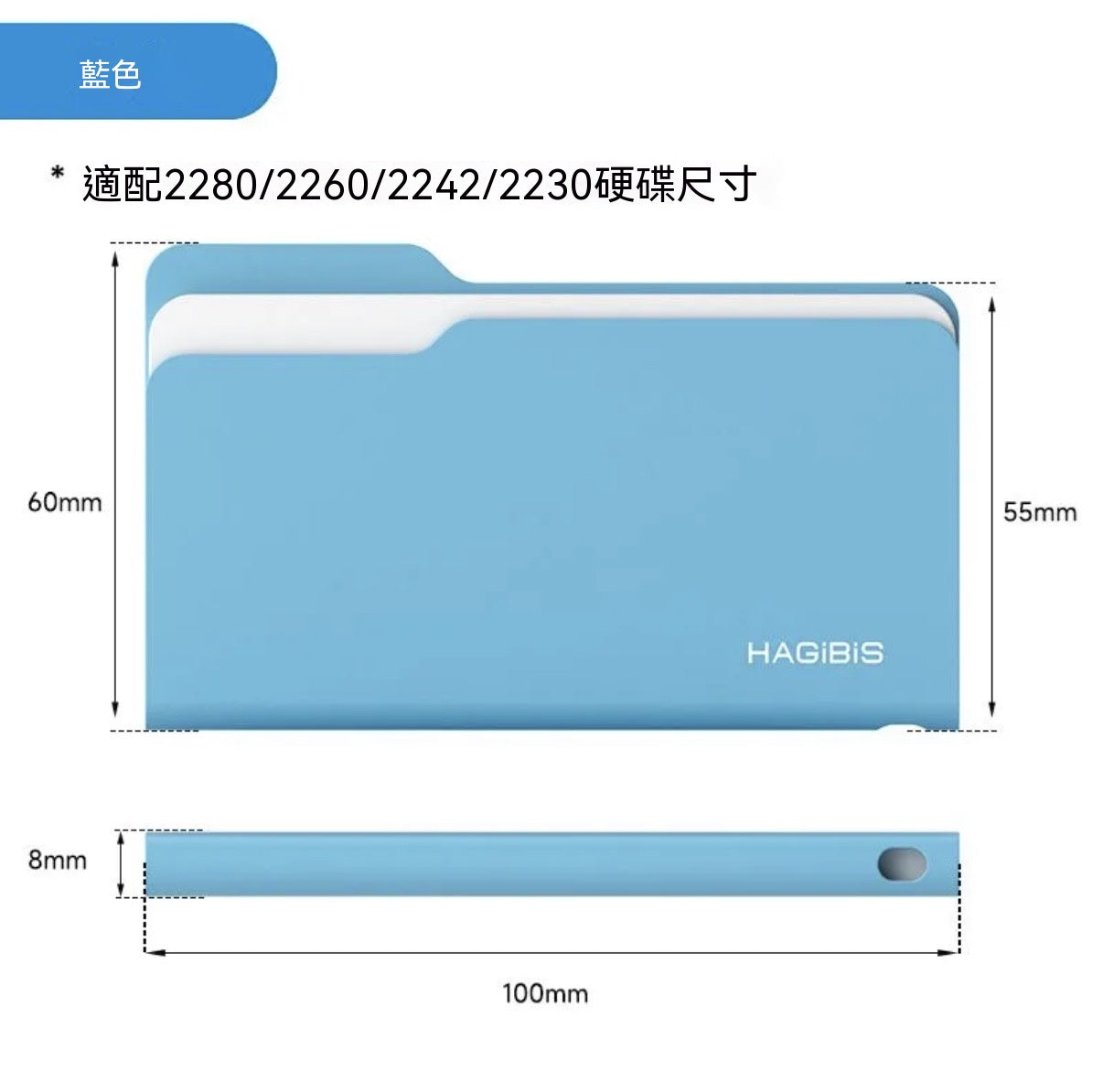
• Product Name: Folder-shaped M.2 2280 NVMe SSD Enclosure
• Supported Specifications: NVMe protocol, compatible with 2230/2242/2260/2280 SSDs (supports only single-sided particles, SSDs with thickness within 2.5mm, B&M Key / M Key interface)
• Transmission Interface: USB3.2 Gen2, up to 10Gbps transfer speed
• Controller Chip: 9210CN controller chip
• Casing Material: All-aluminum U-shaped casing
• Body Dimensions: Only 8mm thick, 59g weight
• Accessories Included: Type-C to Type-C braided data cable (150mm), L-shaped screwdriver, thermal pad, anti-loss lanyard, user manual
• Color Options: Windows Yellow / Mac Blue (two colors available)
Core Highlights
✅ Eye-catching folder shape, highly recognizable
The folder icon from your computer directly turned into a physical product! Windows Yellow and Mac Blue color options perfectly match different system styles, making your desk look super cool and ensuring your drive stands out from the rest.
✅ 10Gbps high-speed transmission, large files read and write in seconds
Equipped with USB3.2 Gen2 standard and a stable controller chip, it smoothly transfers large video and game files without stuttering, easily meeting daily backup and professional editing needs.
✅ All-aluminum alloy casing, excellent heat dissipation
The U-shaped aluminum alloy casing provides double the heat dissipation area, preventing overheating and throttling during long periods of high-speed transmission, ensuring more stable data transfer.
✅ Slim and portable, fits right in your pocket
With a body thickness of only 8mm and a weight of 59g, along with an exclusive anti-loss lanyard, it can be hung on a backpack or tucked into a pocket, making it effortless to carry around.
✅ Wide compatibility, even works with phones
In addition to computers, with a magnetic patch, it supports external recording of 4K/120Hz ProRes videos on the iPhone 17 series, making real-time recording and saving super convenient.
How to Use
1. Open the casing: Use the included L-shaped screwdriver to remove the fixing screw of the enclosure, then gently slide open the aluminum alloy casing.
2. Install the SSD: Align the gold fingers of the compatible M.2 NVMe SSD with the slot and insert it smoothly, then secure the SSD with a screw.
3. Apply the thermal pad: Attach the included thermal pad to the surface of the SSD to help with heat conduction and dissipation.
4. Assemble the enclosure: Slide the aluminum alloy casing back into place and fasten the screws to complete the assembly.
5. Connect and use: Connect the enclosure to your computer/phone with the Type-C cable. The system will automatically recognize it, and you can start using it.
Real User Reviews
💬 "This folder design is so cute! The yellow one is exactly like the Windows folder, my friends thought I was carrying a real folder. The transfer speed is also very stable, backing up 4K videos without any lag."
💬 "The SSD enclosures I bought before were thick and heavy, but this 8mm thick one feels like nothing in my jeans pocket. The aluminum alloy casing feels premium, and the heat dissipation is excellent; it doesn't even get warm after half an hour of continuous use."
💬 "It's super convenient for external video recording on my iPhone 17! Just plug it in, and I can record and save simultaneously. No need to carry bulky external hard drives anymore. The blue one also matches my Mac perfectly, combining aesthetics and practicality."
Important Notes
⚠️ This product is an SSD enclosure and does not include an SSD. You need to use a compatible M.2 NVMe SSD.
⚠️ Only supports single-sided particles and SSDs with a thickness within 2.5mm. B Key interface SSDs are not compatible. Please confirm your SSD specifications before purchasing.
⚠️ When using with some high-power SSDs (e.g., WD SSDs) for iPhone external recording, drive disconnections may occur. It is recommended to use with low-power SSDs.
⚠️ Before installing the SSD, please disconnect all devices to avoid electrostatic damage to the SSD.
⚠️ Do not disassemble the controller chip part yourself to avoid product damage.
Video Link 🔗 (Copy to open) https://www.instagram.com/reel/DX8pacMSI-4/?igsh=aHh5a3BlOG1kaTVq