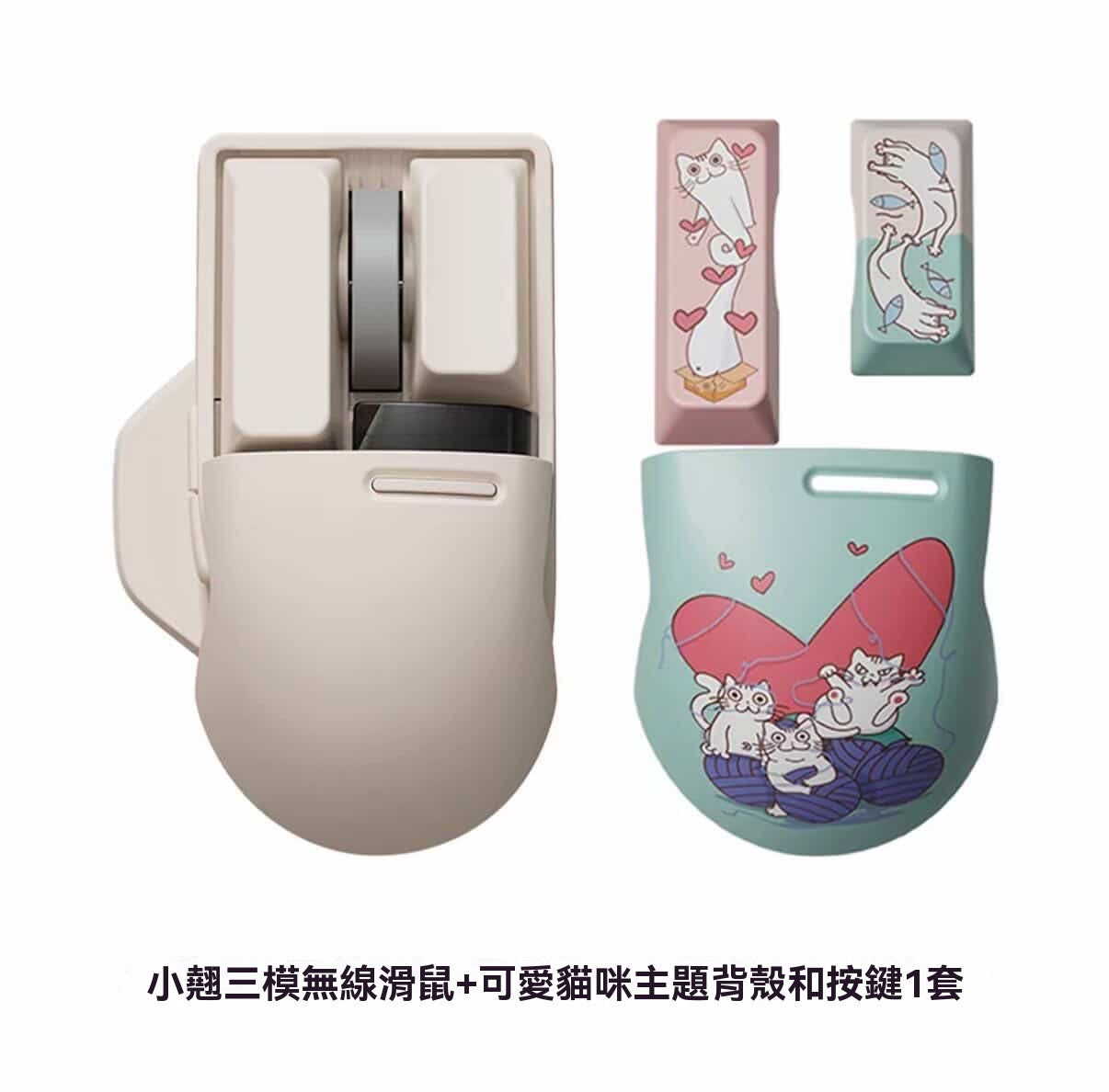
🖱️ Product Information
This is a tri-mode wireless mouse that focuses on both "desk aesthetic" and "practical performance". It features a gentle tofu-colored exterior, and its overall design is consistent with the keyboard from the same series, making it suitable for users who value desktop ambiance.
• Dimensions: 108mm × 68.5mm × 42.5mm
• Weight: Approximately 105.5g
• Connectivity: Wireless 2.4G / Bluetooth 5.0 / Wired Type-C
• Battery Capacity: 650mAh lithium battery, lasts 3-4 weeks with moderate use.
✨ Key Highlights
1. PBT Hot-Swappable Buttons
Applying PBT material, commonly used in keyboards, to mouse buttons makes them wear-resistant and non-greasy, offering a smooth and delicate feel. It also supports dye-sublimation for customizable themed buttons, allowing for easy personalization of your desktop.
2. Driver-Free Fine-Tuned DPI
Comes with 6 preset DPI levels (800/1600/2400/3600/4000/fine-tuned mode). The OLED screen displays DPI, battery level, and connection mode in real-time. The fine-tuned mode supports adjustments in increments of 200, precisely matching various speed requirements.
3. Tri-Mode Connectivity and Multi-Device Switching
Supports Bluetooth, 2.4G, and wired Type-C connections. It can connect to 4 devices simultaneously (Bluetooth x2 / 2.4G x1 / Wired x1), allowing for quick one-click switching, convenient for office, gaming, and mobile device use.
4. Glass Surface Adaptability
Equipped with the Pixart 3805 sensor, it boasts strong optical tracking capabilities, working steadily even on transparent glass desktops, adapting to any usage environment.
5. Ergonomic Grip
The rounded back shell fits the curve of the palm, providing excellent support for prolonged use; the crisp and responsive square buttons, along with side buttons that conform to the fingertips, facilitate quick operations.
📝 How to Use
1. Connecting Devices
◦ Bluetooth Mode: Turn on Bluetooth on your device, search for "Touch@LOFREE" to pair and connect. Can connect up to 2 devices simultaneously.
◦ 2.4G Mode: Insert the receiver into your device's USB port for automatic connection.
◦ Wired Mode: Connect the mouse to your device with a Type-C cable. This also charges the mouse.
2. DPI Adjustment
Toggle DPI levels using the mouse's side buttons or dedicated adjustment button. The OLED screen will display the current value in real-time. The fine-tuned mode allows for precise adjustment to your desired sensitivity.
3. Button Replacement
Simply pull off the PBT buttons and replace them with your favorite themed buttons. No tools needed for easy appearance customization.
4. Charging and Power Saving
Charge with a Type-C cable. The 650mAh battery lasts 3-4 weeks. The mouse automatically enters sleep mode after 1 minute of inactivity to save power.
💬 Real User Reviews
• "The design is so cute! It's a perfect match for my same-colored keyboard, instantly elevating the desktop vibe~"
• "The PBT buttons feel great to the touch. They don't get sticky like plastic buttons even after long use, and they're super easy to clean."
• "The tri-mode connection is very practical. Switching between office computer, laptop, and phone is super smooth. DPI adjustment is also very precise when gaming."
• "It moves steadily even on a glass desk. Finally, I don't need a mouse pad anymore, making my desk look tidier."
⚠️ Precautions
• Themed buttons need to be purchased separately. Please confirm compatibility with this mouse's size before purchasing.
• Avoid immersing the mouse in liquid. Use a dry cloth for cleaning.
• Battery life may vary depending on usage habits. It is recommended to turn off the power when not in use for extended periods.
• If the connection is unstable, try re-pairing or switching connection methods, and ensure the mouse has sufficient battery.