1. Product Information
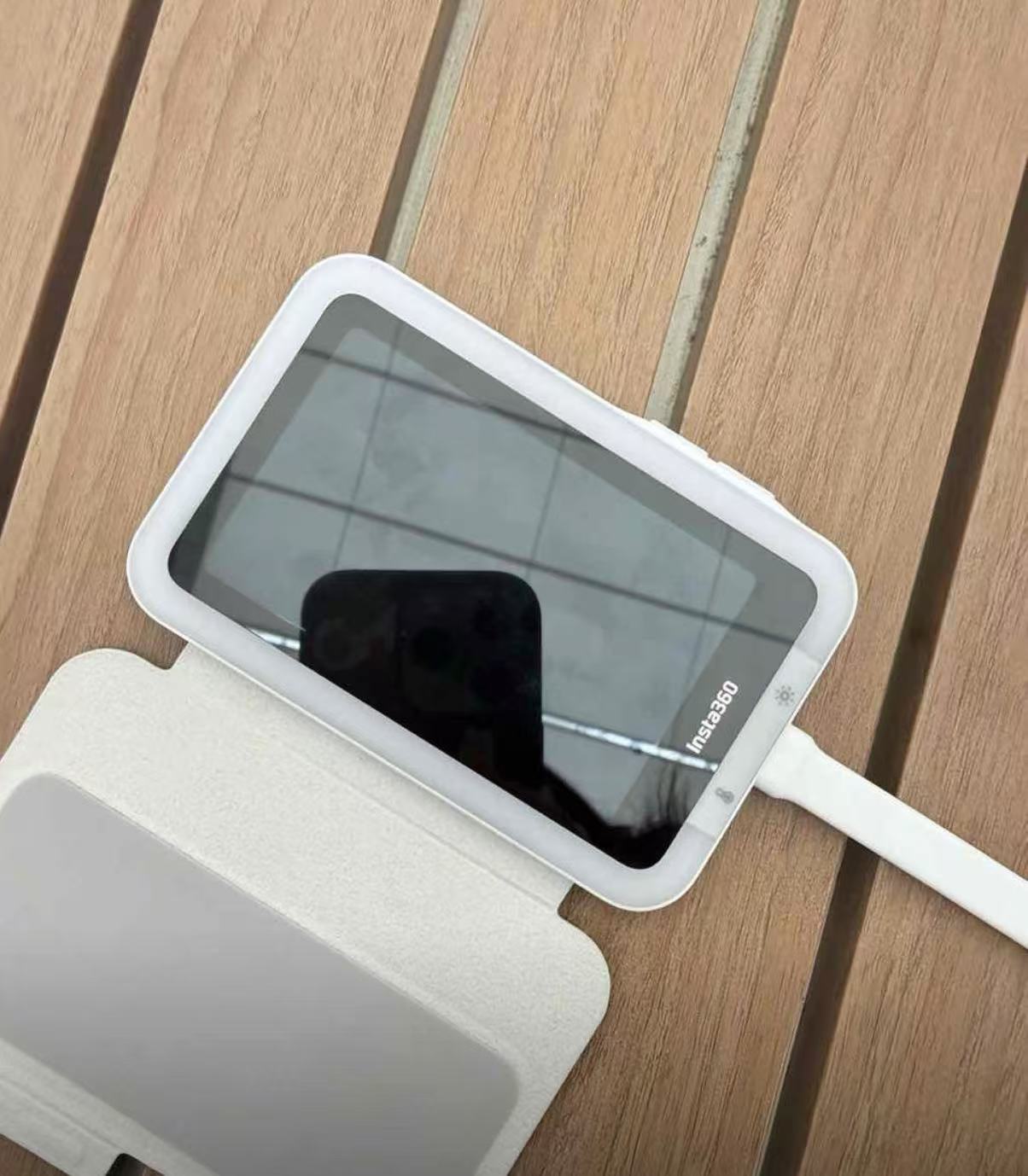
• Product Name: Snap Phone Selfie Screen
• Model: Snap Basic / Snap Fill Light
• Product Specifications:
◦ Basic Version Dimensions: 100 × 60 × 7.3 mm, weight approx. 75.5g
◦ Fill Light Version Dimensions: 103 × 67.5 × 8.2 mm, weight approx. 88.6g
◦ Screen Specifications: 3.5-inch high-definition touch screen, supports 4K 60fps real-time display
◦ Connectivity: USB-C wired direct connection, plug and play, no additional charging required
◦ Fill Light Function (Fill Light Version only): Three color temperatures + five brightness levels, soft light developed in collaboration with AMIRO
◦ Compatible Devices: Supports USB-C phones with DisplayPort protocol (including iPhone 15 series and most Android flagships)
2. Core Highlights
✅ Rear Camera Selfie Artifact, Say Goodbye to Blind Shots
With your phone's rear high-definition camera, preview the image in real-time on the screen. No more guessing when taking selfies; every photo is perfectly composed.
✅ Full Touch Screen Operation, Super Smooth Shooting
The 3.5-inch ultra-clear touch screen allows direct adjustment of focus and exposure, and a one-key mirror function for seamless control whether you're taking selfies or recording videos.
✅ Ultra-thin and Portable, Take it Anywhere
With a body thickness of only 7-8mm and weighing less than 90g, it's lighter and thinner than a business card, fitting easily into your pocket or bag without taking up space.
✅ Wired Connection with Zero Latency, Ultra-stable Picture
Direct USB-C connection to your phone eliminates the need for Bluetooth pairing. 4K shooting can be smoothly synchronized without lag or disconnection issues.
✅ Fill Light Version for Great Complexion Anytime
The fill light version has a built-in soft light with three color temperatures and five adjustable brightness levels, allowing you to take photos with an even complexion indoors, at night, or on cloudy days.
✅ Magnetic Design, Super Easy Installation
The magnetic structure allows it to easily attach to the back of your phone. Paired with a dedicated protective case, you don't have to worry about scratches during daily use.
3. How to Use
1. Installation and Connection
Attach the selfie screen magnetically to the back of your phone, and connect it to your phone via a USB-C cable. The device will automatically enter real-time preview mode without needing any additional app installation.
2. Basic Shooting Operations
Tap the touch screen to focus, swipe to adjust exposure, and press the shortcut key on the screen to instantly mirror the image, ensuring your selfie composition matches the actual picture.
3. Fill Light Function Settings (for Fill Light Version)
Tap the fill light icon on the screen to switch between three color temperatures: warm, natural, and cool light. Swipe up or down to adjust brightness, creating the perfect lighting effect for any scene.
4. Daily Carrying and Protection
When not in use, flip the screen into the protective case to prevent scratches; for extended periods of disuse, simply unplug the USB-C cable to automatically power off the device.
4. Real User Reviews
"Finally, a solution to the pain point of rear-camera selfies! I used to always get crooked shots with the rear camera, but with this screen, every photo is perfectly angled. The touch operation is super smooth with no lag!" — Xiao An, an influencer
"The fill light version is super practical! When going out for dinner at night, I no longer have to search for light for group photos. Turning on the fill light produces photos with a great complexion, and my friends always ask where I took them!" — A Qing, a food blogger
"I thought it would be heavy, but it's incredibly light in hand, even lighter and thinner than my phone case. It fits in my pocket without any burden, making it super convenient for travel vlogging!" — A Jie, a travel enthusiast
"Connecting is super easy, just plug and play, no need to download any apps. It works perfectly with the iPhone 15, and screen synchronization is super smooth, with no lag even when recording in 4K!" — A Zhe, a tech enthusiast
5. Important Notes
⚠️ This product requires a phone that supports the USB-C DisplayPort protocol. Please confirm your phone's compatibility before purchasing.
⚠️ Avoid exposing the device to high temperatures, humidity, or direct sunlight for extended periods to prevent damage to the screen and electronic components.
⚠️ Please use the USB-C cable provided with the product to connect to your phone. Using non-original cables may lead to abnormal connections or screen display malfunctions.
⚠️ When using magnetic attachment, ensure there are no foreign objects on the back of the phone to avoid scratching the phone or the selfie screen surface.
⚠️ When using the fill light version, avoid looking directly at the light for extended periods to prevent eye discomfort; turn off the fill light function when not in use to extend the lifespan of the light.
Video link 🔗 (copy to open)
https://www.instagram.com/reel/DXgevfBk2C7/?igsh=YzFkN3NxZ3FnOGEz